





Geocoding and reverse geocoding
Precise coordinates for your location addresses
Show your customers where you are on the map. Using geocoding you can transform postal addresses such as "CAS-Weg 1, 76131 Karlsruhe" into coordinates and then visualize them precisely on the map thanks to forward geocoding. With reverse geocoding you transform a coordinate into an address. This is, for instance, very helpful when locating a user in an app and for automatically completing addresses. We recommend you use autocomplete to support your users when entering addresses and to aid in finding addresses quickly.

Singleslot
Provide the address information in a single field. SmartMaps recognizes the format and geocodes your address.

Structured input
Pass the desired address to the geocoding API via individual address fields.

Always up-to-date
Thanks to worldwide, minute-by-minute updates the geocoding results are always up to date.
Test the geocoding and reverse geocoding API
Use coordinates to visualise with pinpoint accuracy
Test geocoding and reverse geocoding for yourself. After clicking "Geocode location" a location pin is drawn on the map. You can move the pin using drag and drop. In the pop-up window, the appropriate address is displayed using our reverse geocoding. Numerous well-known customers trust our services.
Quick and easy integration
Simple to integrate in your existing system
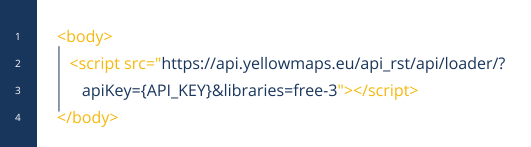
Complex modifications are not required to integrate SmartMaps geocoding or reverse geocoding into your existing system architecture. After registration, you can easily create your API key for free and start the seamless integration of the geocoding service into your existing applications. To learn more about the geocoding functionalities, see our comprehensive documentation.
I’m happy to help - how can I assist you?

Christopher Schmitt
Maps-Specialist
Tel.: +49 721 9638-125
geosolutions@yellowmap.de
